Interoute · Enterprise / Web · B2B SD-WAN

Interoute Edge

Redesigning a complex enterprise SD-WAN ordering platform into a guided 5-step wizard, replacing manual spreadsheet-based ordering with a self-service experience built for two audiences: sales teams and enterprise customers.

My Role
Senior UX/UI Designer
Platform
Web (Enterprise Portal)
Status
Shipped
Year
2017–2018

A guided 5-step wizard replacing chaos

The delivered product replaced the manual ONQT spreadsheet process with a self-service wizard that guided both sales teams and enterprise customers through complex SD-WAN configuration in one unified flow. The team was made redundant shortly after launch, before post-launch data could be gathered, but the metrics I would have tracked were defined from the start.

Metrics I would have tracked

Wizard completion rate

The core success signal. If users dropped off mid-wizard, it would indicate a step was too complex or the information architecture wasn't matching their mental model. A high completion rate would validate the progressive disclosure approach.

Support ticket volume

The old process generated support dependency by design. A reduction in configuration-related tickets post-launch would be the clearest proof that self-service was working and the UI was reducing errors at source.

Time to complete an order

Replacing spreadsheets and ONQT lookups with a real-time wizard should have dramatically reduced order time. Tracking this against a baseline from the legacy process would have quantified the efficiency gain.

Validation trigger rate

Inline validation was designed to catch configuration errors before submission. Monitoring how often users hit validation errors, and where in the flow, would have driven iteration on the most friction-heavy steps.

Final UI
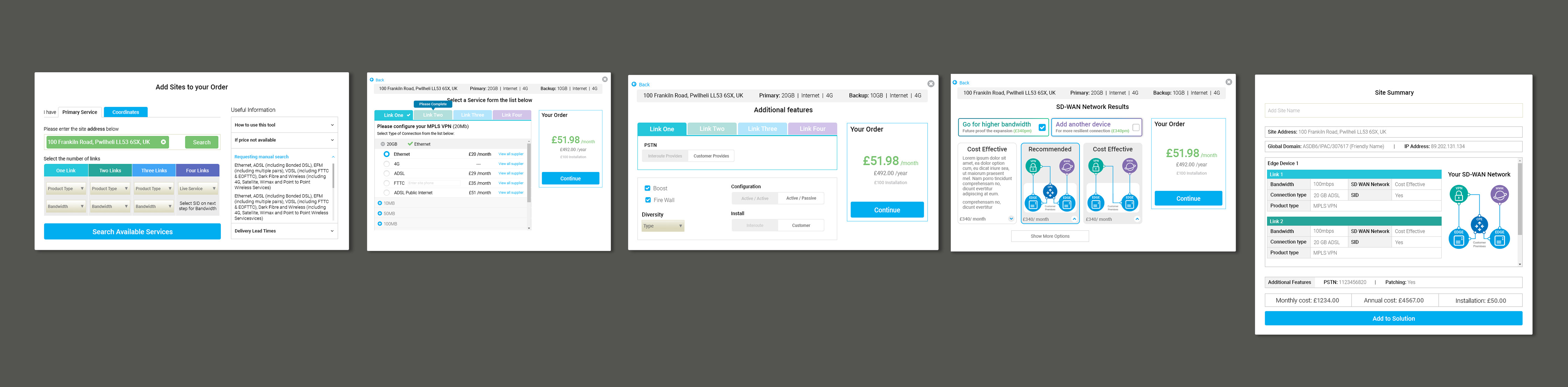
Final UI: Interoute Edge SD-WAN portal

Legacy ordering was broken

The existing Interoute Legacy platform required sales and customers to configure SD-WAN network orders through a fragmented, multi-step lightbox,with no visual feedback, manual price lookups, and separate workflows for primary and backup services. The process was error-prone, slow, and heavily dependent on support teams.

Sales teams

Needed supplier comparison, price overrides, margin visibility, and the ability to send solutions to customers,all buried across disconnected screens.

Enterprise customers

Needed to configure multi-link SD-WAN solutions (MPLS VPN, Internet Access, BYOI) with real-time pricing,without needing to contact support for every order.

From spreadsheets to a digital platform

The first phase was getting familiar with SD-WAN technology and understanding how the business actually operated. I ran stakeholder interviews across engineering, product, sales, and commercial leadership, and what I found was revealing: the Director of Cloud Computing showed me how every order was configured manually using spreadsheets and a pricing database called ONQT. That single observation defined the core design challenge.

Stakeholder interviews

Sessions with engineers, product owners, sales managers, and a business analyst surfaced conflicting mental models of the product, and helped align the team around a shared set of user goals before design began.

The ONQT problem

Every SD-WAN order required manual lookups in a legacy pricing database. No real-time feedback, no validation, no visual output. The platform had to replace this entirely, not replicate it.

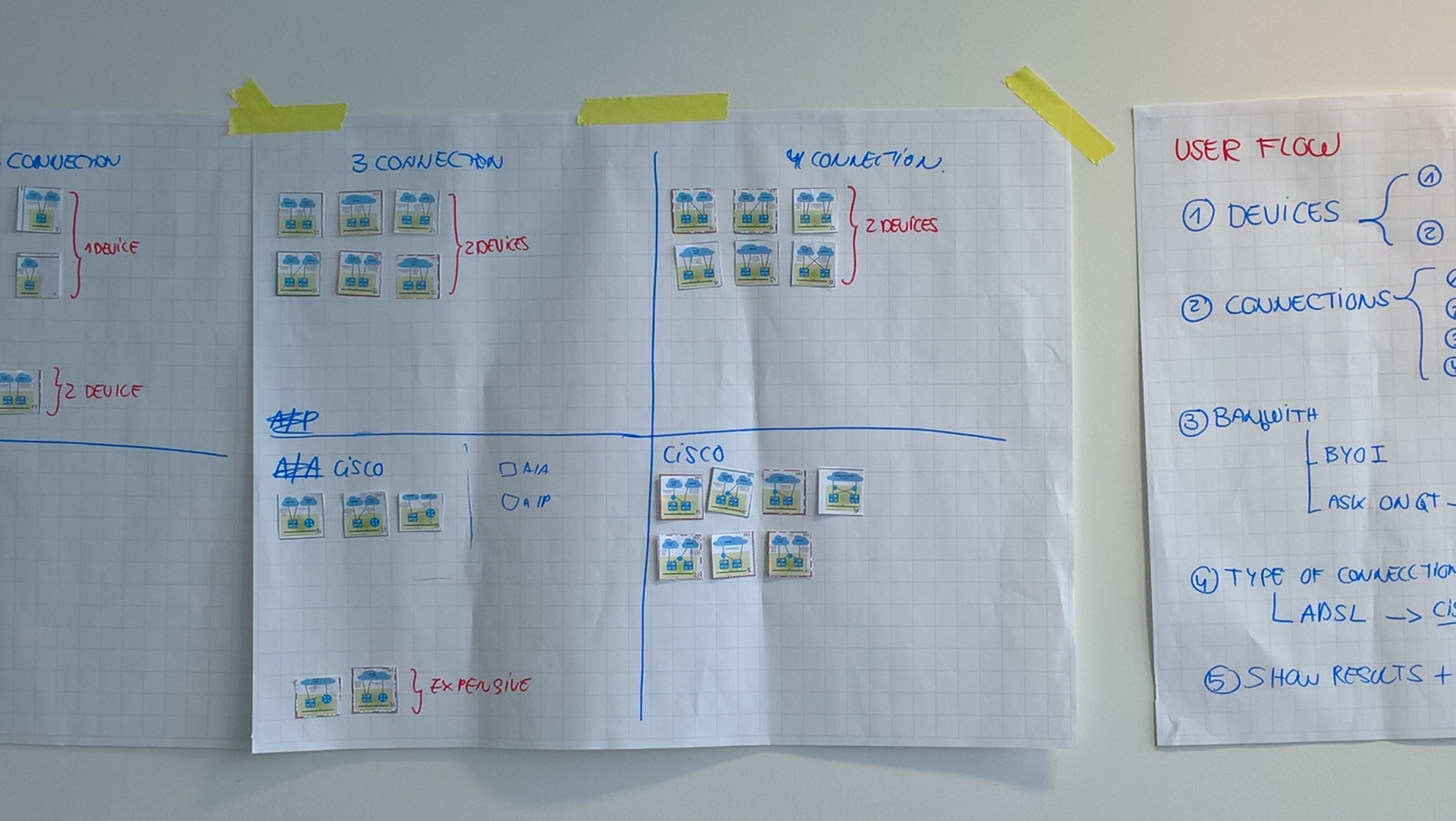
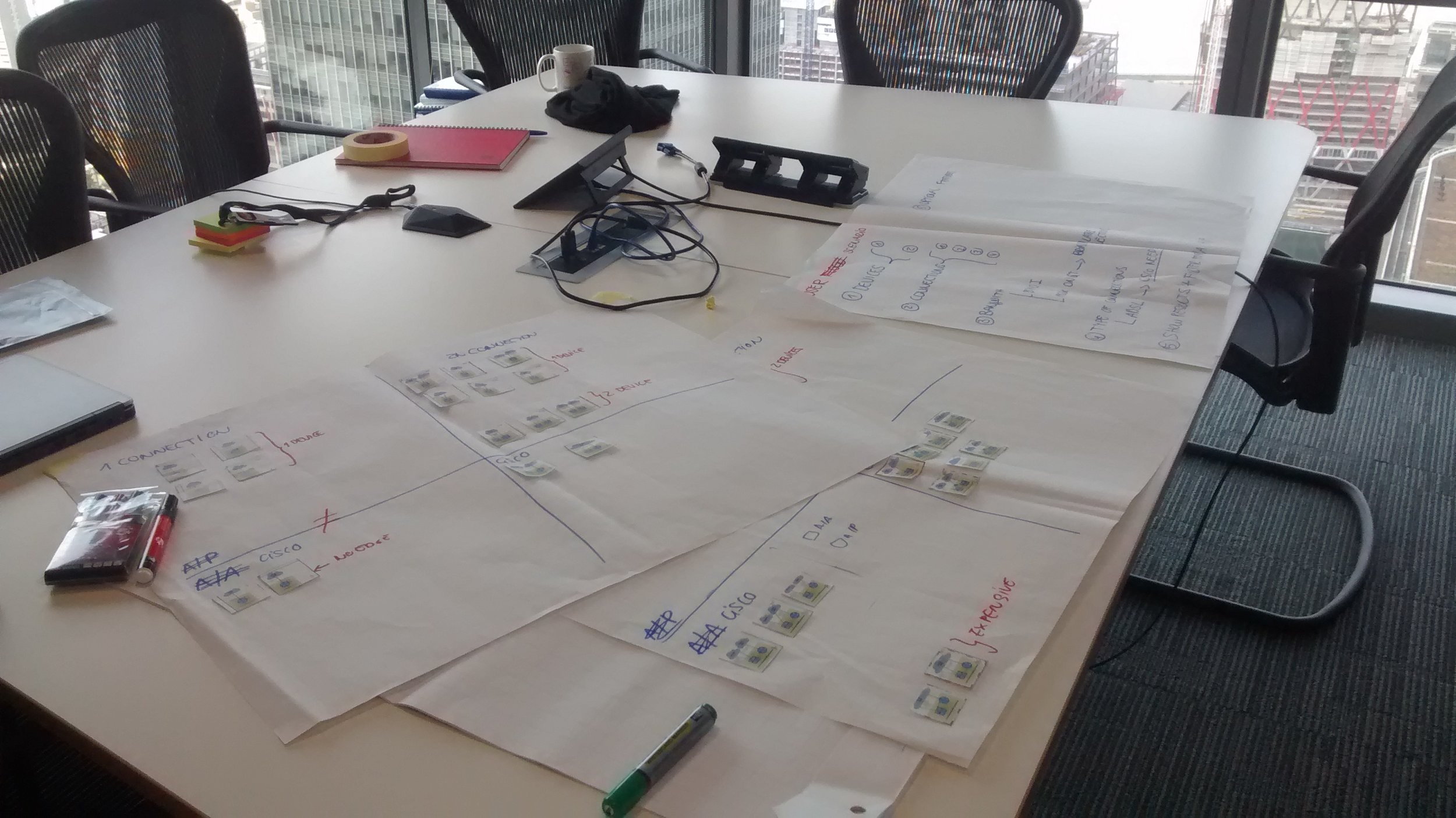
Card sorting

The SD-WAN network categorisation presented a real IA challenge. A card sorting exercise with the engineering team resolved it: categorise by number of links rather than by product type, matching how customers actually think about their connectivity needs.

Designing the wizard, step by step

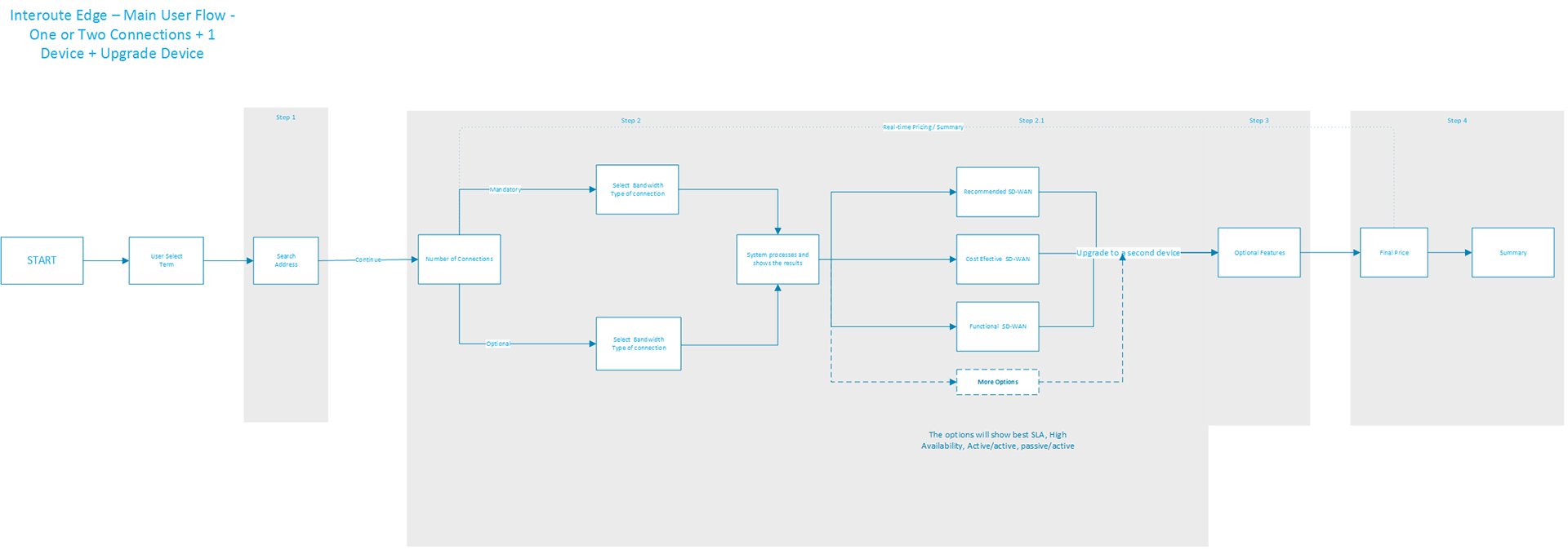
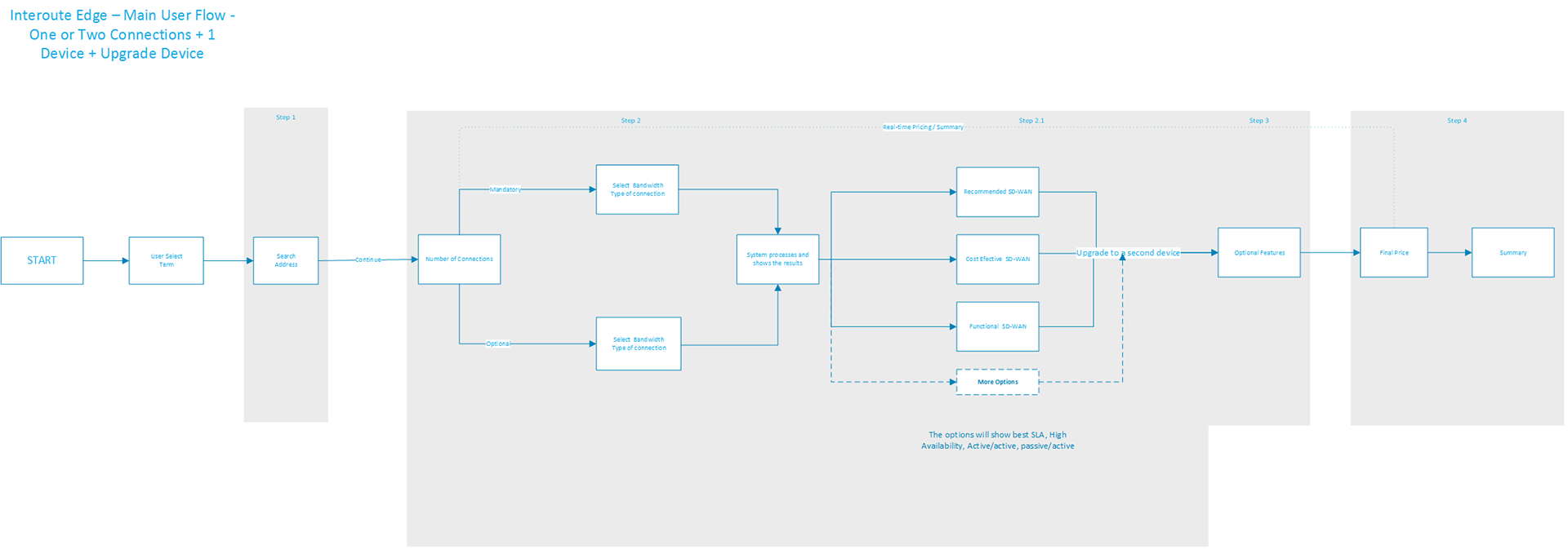
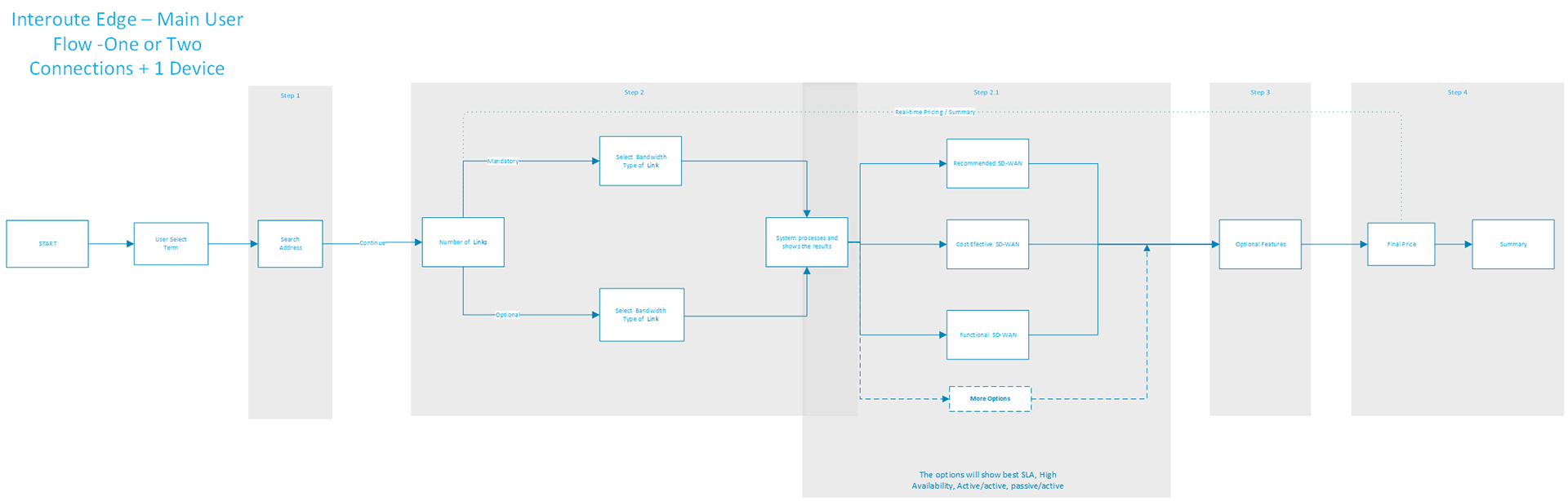
I redesigned the entire ordering flow as a progressive, step-by-step wizard,each step building on the previous selection, with real-time pricing and visual network topology at every stage.

Step 1 – Address & links

Google API-powered address search with smart PoP detection. Users select 1–4 links, product types (MPLS VPN, Internet Access, BYOI, Live Services), and bandwidth,all in one view.

Step 2 – Link configuration

Tab-based interface where each link is configured independently. Connection types, suppliers, and pricing pulled dynamically from ONQT with inline "View all suppliers" for sales.

Step 3 – Network results

Visual SD-WAN topology showing Recommended, Cost Effective, and Functional configurations side-by-side,with real-time pricing and upgrade prompts.

Step 4 – Additional features

Context-aware options: QoS, firewall, patching, IP addresses, diversity types,filtered based on prior selections. Irrelevant options auto-disabled to reduce cognitive load.

Step 5 – Summary

Full site summary with network diagram, device-level configuration breakdown, cost totals (monthly/annual/installation), and a single "Add to Solution" CTA.

From the OBP framework to a new direction

The first iteration of the UI was built on the existing OBP framework and followed a pop-up based interaction model. This version was completed and handed off to another member of the team. A second iteration was then initiated, introducing significant UI and navigation changes to better serve the two audiences and address the friction points surfaced during testing.

First iteration UI First iteration pop-up flow

Designing for two audiences in one flow

The same wizard served sales teams and customers with role-specific features layered in,not separate products.

Role-based pricing

Sales see margin data, override controls, and approval workflows. Customers see clean retail pricing with status-coloured indicators (green = ready, amber = needs review).

Progressive disclosure

Complex options (supplier tables, manual quote requests, capacity checks) surface only when relevant,keeping the default path simple for 80% of orders.

Error prevention

Inline validation, smart defaults (Type B2 diversity, FTTC phone number detection), and contextual help via accordion panels reduced configuration errors significantly.

Validated with real users before launch

Before launch, we ran two rounds of testing on an interactive prototype: a Usability Test to evaluate task performance and identify friction points, and a User Test with 5 participants matching the Interoute Sales profile. Sessions lasted up to 30 minutes each, conducted remotely and on-site at Interoute Bridge. Users were asked to build an SD-WAN network, generate a quote, and navigate configuration options while their actions, comments, and errors were recorded.

Usability test findings

Disabled bandwidth field

When "Live Service" was selected, the bandwidth dropdown was disabled but gave no visual explanation. We recommended clearer deactivation styling and a tooltip on hover to communicate why the field was unavailable.

SD-WAN results spacing

On the network results step, "Price" and "Show detail" were too close together, causing accidental clicks. Increasing the spacing between these elements reduced the risk of unintended actions.

Additional features hierarchy

The layout of the additional features step lacked clear separation between Link and Device features. We recommended either adding titles to group each category, or splitting the step into two distinct screens.

User test findings

Address field overlooked

Most users navigated directly to the Link tab, skipping the Address field entirely. The segmented control needed stronger visual differentiation, using bold and light states to make the active selection more obvious.

Link tabs not noticed

Users didn't realise they needed to fill in all link tabs. Recommendations: disable the Continue button until all links were complete, add a hint tooltip pointing to the next unfilled link, and increase the visual contrast between active and inactive tab states.

Upgrade options lacking feedback

Users struggled to distinguish between Bigger Device and Second Device upgrade options due to insufficient visual feedback on selection. Improving the look and feel of the two states resolved the confusion.

Jargon mismatch

Some service names in the additional features step didn't align with how the sales team described their own products. This was flagged as a high-risk issue, as incorrect terminology could undermine user confidence. Recommended: validate all labels directly with sales staff before launch.

What the acquisition changed

SD-WAN networking was entirely new territory. I navigated it by asking the questions that felt obvious, mapping mental models out loud with engineers, and identifying where complexity could be abstracted away from the user entirely. The engineers talked topology; users needed to know how many links they wanted and what they'd cost. Designing the middle ground between those two realities was the core challenge, and the most valuable thing I took from it.

In 2018, GTT Communications acquired Interoute and the team was made redundant before post-launch data could be gathered. The process, the research, the testing, and the dual-audience problem are what transferred.

← Quick Access Menu Next: Foodies →